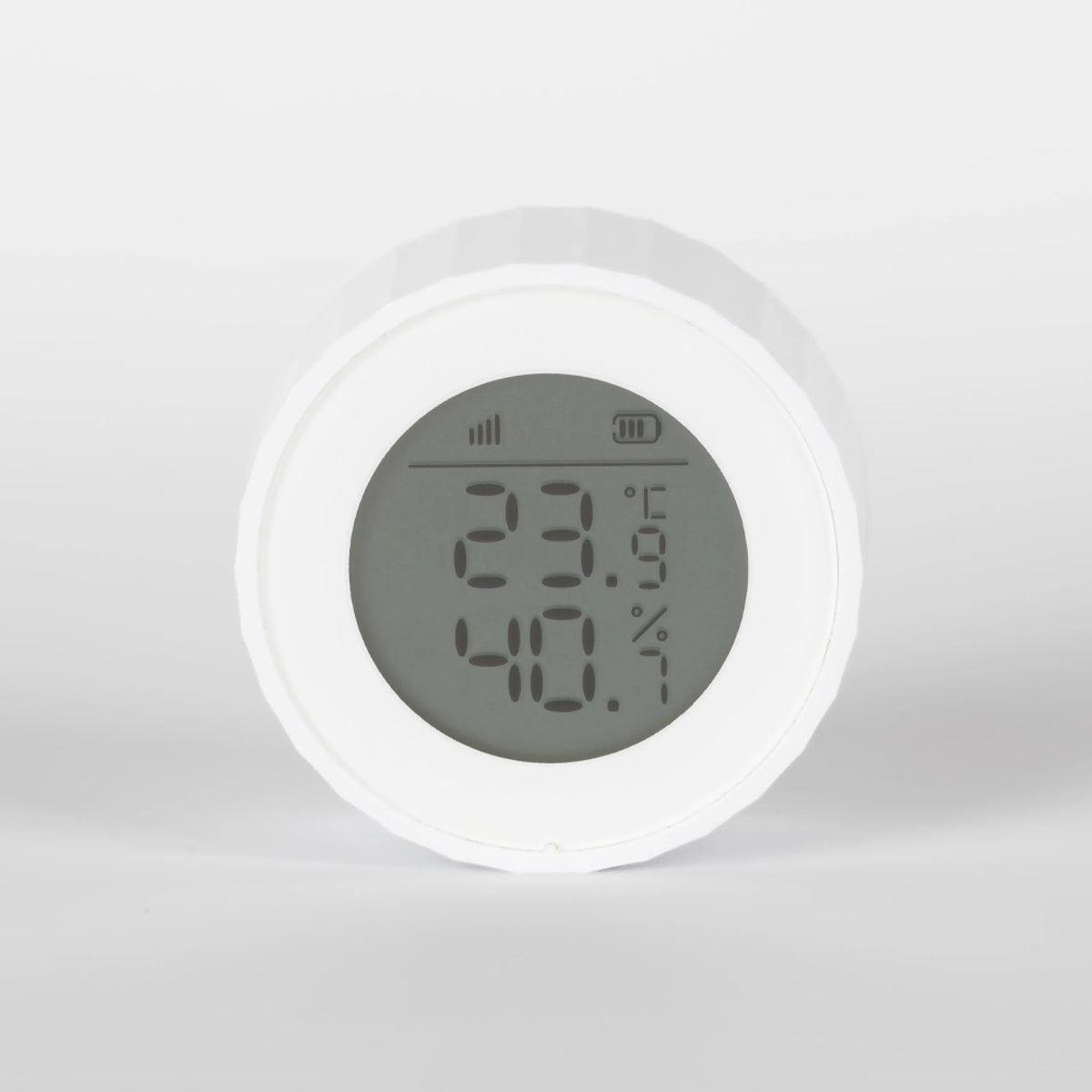
Enhance your Vanemar monitoring system with a boat moisture meter, boat temperature gauge and marine temperature sensor in one compact device. Check temperature and humidity readings for your boat’s interior spaces in the Vanemar app and receive alerts when conditions move outside the limits you set.
Has the cabin warmed up? Has humidity stayed high all week? See the readings behind those questions, so your next visit starts with a better idea of what needs attention.
A quick glance, aboard or away.
Read temperature and relative humidity on the sensor’s screen when you are in the cabin. Away from the boat, open the app to check the latest reported conditions.
See what a visit can miss.
Look through the history to find recurring temperature changes or humidity that stays elevated between visits. A pattern gives you more context than one reading.
Choose what deserves your attention.
Set the temperature and humidity limits you want to monitor. App alerts let you know when reported readings move outside those limits.
CARE FOR THE SPACES YOU ENJOY
Give cabin care a little more insight.
From the saloon where you relax to the cabin where you sleep, each space has its own conditions. Keep those changes in view as part of looking after the boat.
01A REASON TO CHECK SOONER
Notice when humidity lingers.
A brief rise in humidity and a cabin that stays humid for days call for different attention. Review the history to see whether high readings keep returning, then decide whether to check ventilation, inspect the space or review your dehumidifier setup.
The sensor gives you information to act on; it does not remove moisture from the air.
02ON THE WALL OR BESIDE YOU
Easy to read while you settle in.
The built-in display makes a cabin check as simple as a glance. Choose wall mounting or the supported tabletop setup to suit the space. With wireless communication and battery power, there is no sensor cable to route through the cabin.
Add a sensor in each separate area you want to follow, and give it a clear name in the app.
A CLOSER LOOK
Small enough to fit into cabin life.
Choose a position that reflects the air in the space, then set the alerts you want in the app.
Read it your way
The H1 display supports Celsius or Fahrenheit. Choose the unit in the app; the screen updates when the sensor next synchronises.
Place it where the air matters
Use an indoor location away from direct airflow from heaters, air conditioning or vents, following the placement guide.
Know when the battery needs attention
Check battery status on the display and in the app. Low-battery warnings help you plan a replacement.
Boat Moisture Meter And Temperature Gauge
Take a Closer Look
Technical Details
Operating Voltage
3 V DC (CR2450 battery)
Wireless Network
Zigbee
Wireless Range
≤100 m (open area) · ≤328 ft
Operating Temperature
-10°C – +50°C
Operating Humidity
≤95% relative humidity
Dimensions (H1)
42 × 42 × 17.8 mm
Measurements
Temperature · relative humidity
Display
Temperature · relative humidity · battery status
UNDERSTANDING YOUR CABIN
The readings, the placement and the possibilities.
01
Does it measure damp inside wood or upholstery?
It measures the temperature and relative humidity of the surrounding air. It does not measure moisture inside materials or detect mould directly. Use the readings to guide an inspection when conditions need attention.
02
Can I see what happened while I was away?
Yes. The Vanemar app shows current readings and recorded temperature and humidity history. Looking back helps you distinguish a short change from conditions that keep recurring.
03
Can one sensor cover all my cabins?
Each sensor measures the air where it is placed. Separate cabins or enclosed storage areas may have different conditions, so add a sensor for each area you want to monitor independently. Check the Gateway connection at each location.
04
Where should I put it?
Choose an indoor position in the cabin, saloon or another space you want to monitor. Keep it away from direct airflow from heating, cooling and ventilation outlets. Follow the placement guide for a clean, dry mounting surface and check the wireless connection before fixing it in place.
05
Will it switch my dehumidifier on automatically?
The sensor measures conditions and sends alerts; it does not operate a dehumidifier by itself. A compatible appliance connected to a Vanemar Smart Plug can be switched manually from the app. Check the appliance’s suitability and the plug’s rating before using that setup.
06
What do I need to check conditions from home?
Pair the sensor with a Vanemar Gateway and activate Vanemar Connect. Keep the Gateway online and enable the relevant app and phone notifications. You can read conditions on the sensor’s own screen when you are aboard.
Real Owners
Customer Reviews
5.0· 1 değerlendirme
First-hand experiences from boat owners who use Vanemar.
Yorumlar yükleniyor…
Vanemar Support
Which spaces would you like to keep an eye on?
Tell us about your cabins and the conditions you want to follow. We’ll help you plan sensor placement and get started with Vanemar.